
Get "Importação de Templates" Today

Incluso na Assinatura

Get "Importação de Templates" Today

Incluso na Assinatura

Get "Importação de Templates" Today

Incluso na Assinatura

Blue Flower
Blue Flower
Blue Flower

5 Star Reviews

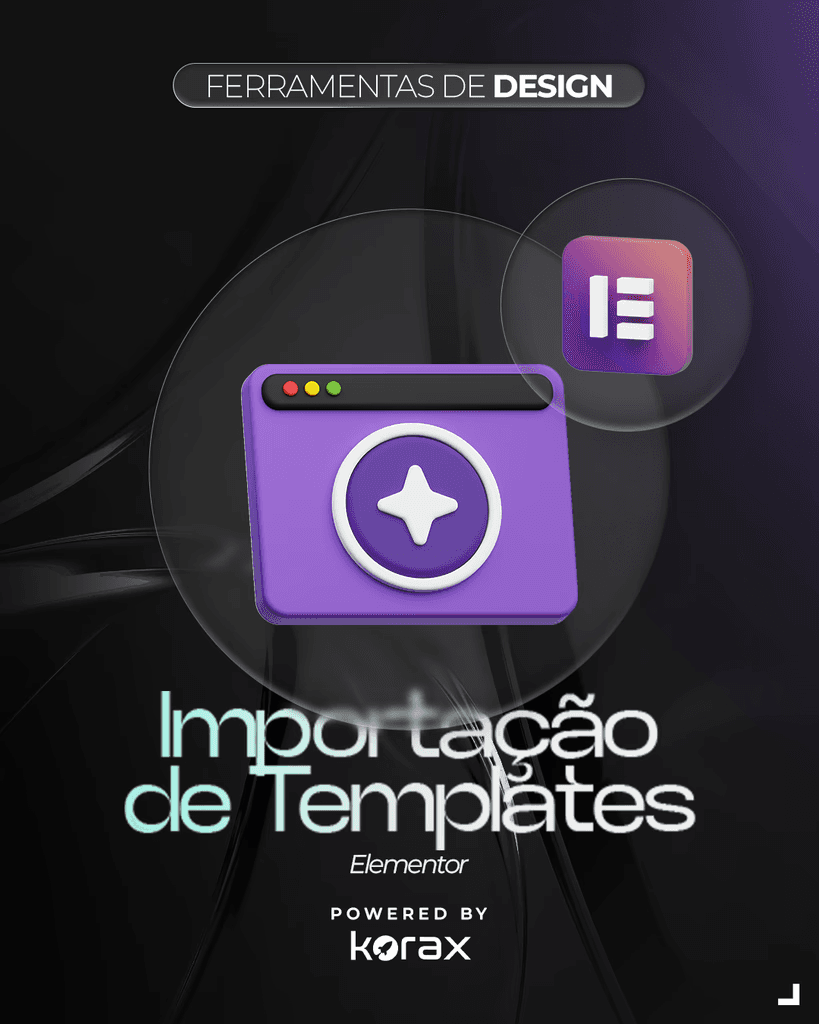
Importação de Templates

Importação de Templates

Importação de Templates

JSON

JSON

Importe templates no Elementor com segurança: kits, páginas e seções, ajustando estilos globais, fontes e links sem quebrar o site.

Importe templates no Elementor com segurança: kits, páginas e seções, ajustando estilos globais, fontes e links sem quebrar o site.

Incluso na Assinatura

Incluso na Assinatura

Modules

About this Course

FAQs

Requirements

Módulo 1 — Tipos de Template e O que Você Está Importando

  • Template de seção x página x site kit

  • Biblioteca do Elementor x templates de terceiros

  • Quando usar: copiar/colar, salvar como template, importar arquivo

Módulo 2 — Preparação (antes de importar)

  • Checklist de ambiente: tema, Elementor Free/Pro, plugins necessários

  • Backup e staging (como evitar “quebrar” produção)

  • Padrão de containers (Flexbox) e compatibilidade com templates antigos

  • Identificar dependências: sliders, formulários, fontes, ícones

Módulo 3 — Importando Templates no Elementor (passo a passo)

  • Importar .json (templates individuais)

  • Importar Kits (Elementor Kit Library / zip)

  • Inserir da biblioteca e ajustar na página

  • Salvar como template reutilizável (sections/pages)

Módulo 4 — Ajustes Pós-Importação (o que sempre precisa revisar)

  • Site Settings / Estilos Globais: cores, tipografia, botões, forms

  • Layout: containers, padding, margens, alinhamentos

  • Responsividade: breakpoints, ordem no mobile, overflow

  • Imagens: tamanhos, WebP, substituição e compressão

Módulo 5 — Fontes, Ícones e CSS

  • Fontes: Google Fonts x fontes locais (performance)

  • Ícones: Font Awesome / SVG (boas práticas)

  • CSS do template: onde fica, como isolar e como evitar conflito

  • Problemas de cache (Elementor + plugin de cache)

Módulo 6 — Links, Formulários e Integrações

  • Reapontar links de menu/CTA

  • Elementor Forms: e-mails, webhooks, integrações e antispam

  • Pop-ups e condições de exibição (Pro)

  • GDPR/LGPD: consentimento e política de privacidade

Módulo 7 — Theme Builder e Templates Dinâmicos (Pro)

  • Importar header/footer/single/archive

  • Condições de exibição e hierarquia

  • Conflitos com tema (header duplicado, breadcrumb, etc.)

  • Templates WooCommerce (se aplicável)

Módulo 8 — Troubleshooting (erros mais comuns)

  • “Layout desconfigurado” (containers vs sections antigas)

  • Fontes diferentes após importar

  • Imagens não carregam / links quebrados

  • Widgets faltando (plugin não instalado)

  • Estilo não aplica (regenerar CSS, limpar cache, revisar global styles)

  • Diferença entre editor e site publicado (cache/minificação)

Módulo 9 — Padronização e Reutilização

  • Transformar páginas em blocos reutilizáveis

  • Criar biblioteca própria (seções padrão)

  • Nomenclatura, pages e documentação simples

  • Checklist de entrega para cliente/equipe

Módulo 10 — Projeto Prático

  • Importar um kit completo

  • Ajustar identidade visual (cores/tipografia)

  • Revisar responsividade

  • Publicar com performance e SEO básico

Modules

About this Course

FAQs

Requirements

Módulo 1 — Tipos de Template e O que Você Está Importando

  • Template de seção x página x site kit

  • Biblioteca do Elementor x templates de terceiros

  • Quando usar: copiar/colar, salvar como template, importar arquivo

Módulo 2 — Preparação (antes de importar)

  • Checklist de ambiente: tema, Elementor Free/Pro, plugins necessários

  • Backup e staging (como evitar “quebrar” produção)

  • Padrão de containers (Flexbox) e compatibilidade com templates antigos

  • Identificar dependências: sliders, formulários, fontes, ícones

Módulo 3 — Importando Templates no Elementor (passo a passo)

  • Importar .json (templates individuais)

  • Importar Kits (Elementor Kit Library / zip)

  • Inserir da biblioteca e ajustar na página

  • Salvar como template reutilizável (sections/pages)

Módulo 4 — Ajustes Pós-Importação (o que sempre precisa revisar)

  • Site Settings / Estilos Globais: cores, tipografia, botões, forms

  • Layout: containers, padding, margens, alinhamentos

  • Responsividade: breakpoints, ordem no mobile, overflow

  • Imagens: tamanhos, WebP, substituição e compressão

Módulo 5 — Fontes, Ícones e CSS

  • Fontes: Google Fonts x fontes locais (performance)

  • Ícones: Font Awesome / SVG (boas práticas)

  • CSS do template: onde fica, como isolar e como evitar conflito

  • Problemas de cache (Elementor + plugin de cache)

Módulo 6 — Links, Formulários e Integrações

  • Reapontar links de menu/CTA

  • Elementor Forms: e-mails, webhooks, integrações e antispam

  • Pop-ups e condições de exibição (Pro)

  • GDPR/LGPD: consentimento e política de privacidade

Módulo 7 — Theme Builder e Templates Dinâmicos (Pro)

  • Importar header/footer/single/archive

  • Condições de exibição e hierarquia

  • Conflitos com tema (header duplicado, breadcrumb, etc.)

  • Templates WooCommerce (se aplicável)

Módulo 8 — Troubleshooting (erros mais comuns)

  • “Layout desconfigurado” (containers vs sections antigas)

  • Fontes diferentes após importar

  • Imagens não carregam / links quebrados

  • Widgets faltando (plugin não instalado)

  • Estilo não aplica (regenerar CSS, limpar cache, revisar global styles)

  • Diferença entre editor e site publicado (cache/minificação)

Módulo 9 — Padronização e Reutilização

  • Transformar páginas em blocos reutilizáveis

  • Criar biblioteca própria (seções padrão)

  • Nomenclatura, pages e documentação simples

  • Checklist de entrega para cliente/equipe

Módulo 10 — Projeto Prático

  • Importar um kit completo

  • Ajustar identidade visual (cores/tipografia)

  • Revisar responsividade

  • Publicar com performance e SEO básico

Modules

About this Course

FAQs

Requirements

Módulo 1 — Tipos de Template e O que Você Está Importando

  • Template de seção x página x site kit

  • Biblioteca do Elementor x templates de terceiros

  • Quando usar: copiar/colar, salvar como template, importar arquivo

Módulo 2 — Preparação (antes de importar)

  • Checklist de ambiente: tema, Elementor Free/Pro, plugins necessários

  • Backup e staging (como evitar “quebrar” produção)

  • Padrão de containers (Flexbox) e compatibilidade com templates antigos

  • Identificar dependências: sliders, formulários, fontes, ícones

Módulo 3 — Importando Templates no Elementor (passo a passo)

  • Importar .json (templates individuais)

  • Importar Kits (Elementor Kit Library / zip)

  • Inserir da biblioteca e ajustar na página

  • Salvar como template reutilizável (sections/pages)

Módulo 4 — Ajustes Pós-Importação (o que sempre precisa revisar)

  • Site Settings / Estilos Globais: cores, tipografia, botões, forms

  • Layout: containers, padding, margens, alinhamentos

  • Responsividade: breakpoints, ordem no mobile, overflow

  • Imagens: tamanhos, WebP, substituição e compressão

Módulo 5 — Fontes, Ícones e CSS

  • Fontes: Google Fonts x fontes locais (performance)

  • Ícones: Font Awesome / SVG (boas práticas)

  • CSS do template: onde fica, como isolar e como evitar conflito

  • Problemas de cache (Elementor + plugin de cache)

Módulo 6 — Links, Formulários e Integrações

  • Reapontar links de menu/CTA

  • Elementor Forms: e-mails, webhooks, integrações e antispam

  • Pop-ups e condições de exibição (Pro)

  • GDPR/LGPD: consentimento e política de privacidade

Módulo 7 — Theme Builder e Templates Dinâmicos (Pro)

  • Importar header/footer/single/archive

  • Condições de exibição e hierarquia

  • Conflitos com tema (header duplicado, breadcrumb, etc.)

  • Templates WooCommerce (se aplicável)

Módulo 8 — Troubleshooting (erros mais comuns)

  • “Layout desconfigurado” (containers vs sections antigas)

  • Fontes diferentes após importar

  • Imagens não carregam / links quebrados

  • Widgets faltando (plugin não instalado)

  • Estilo não aplica (regenerar CSS, limpar cache, revisar global styles)

  • Diferença entre editor e site publicado (cache/minificação)

Módulo 9 — Padronização e Reutilização

  • Transformar páginas em blocos reutilizáveis

  • Criar biblioteca própria (seções padrão)

  • Nomenclatura, pages e documentação simples

  • Checklist de entrega para cliente/equipe

Módulo 10 — Projeto Prático

  • Importar um kit completo

  • Ajustar identidade visual (cores/tipografia)

  • Revisar responsividade

  • Publicar com performance e SEO básico

Included In this Course

Included in This Course List

  • Checklist “antes de importar” (tema/plugins/backup)

  • Checklist “pós-importação” (globals, responsivo, links, forms)

  • Guia rápido de regenerar CSS e limpar cache

  • Modelo de biblioteca de seções padrão

  • Roteiro de troubleshooting (erros + soluções)

Course Level

Beginner

Importar template sem dor: kit, estilos globais e ajustes finais

Importar template sem dor: kit, estilos globais e ajustes finais

Importar template sem dor: kit, estilos globais e ajustes finais

Você vai importar um template (página ou kit), aplicar sua identidade visual com Site Settings, revisar responsividade e reapontar links e formulários. No final, faremos um checklist de publicação (cache, CSS, imagens e SEO básico) para garantir que o template fique com cara de “site sob medida”, não de “modelo pronto”.

Você vai importar um template (página ou kit), aplicar sua identidade visual com Site Settings, revisar responsividade e reapontar links e formulários. No final, faremos um checklist de publicação (cache, CSS, imagens e SEO básico) para garantir que o template fique com cara de “site sob medida”, não de “modelo pronto”.

Você vai importar um template (página ou kit), aplicar sua identidade visual com Site Settings, revisar responsividade e reapontar links e formulários. No final, faremos um checklist de publicação (cache, CSS, imagens e SEO básico) para garantir que o template fique com cara de “site sob medida”, não de “modelo pronto”.

AMAZING BENEFITS

Stunning Benefits of our Courses

Stunning Benefits of our Courses

Explore the incredible advantages of enrolling in our courses and enhancing your skills.

Explore the incredible advantages of enrolling in our courses and enhancing your skills.

Built by Professionals

Get the best Experience knowing that our Courses are built by Professionals.

Built by Professionals

Get the best Experience knowing that our Courses are built by Professionals.

Built by Professionals

Get the best Experience knowing that our Courses are built by Professionals.

Get Completion Awards

Get a Completion Award from our Team to boost motivation & success.

Get Completion Awards

Get a Completion Award from our Team to boost motivation & success.

Get Completion Awards

Get a Completion Award from our Team to boost motivation & success.

Fast Chat Support

Need help? We're just a Quick Chat Away. Available 24/7/365.

Fast Chat Support

Need help? We're just a Quick Chat Away. Available 24/7/365.

Fast Chat Support

Need help? We're just a Quick Chat Away. Available 24/7/365.

Lifetime Access

With Just One Payment, you'll get Lifetime Access to the Course.

Lifetime Access

With Just One Payment, you'll get Lifetime Access to the Course.

Lifetime Access

With Just One Payment, you'll get Lifetime Access to the Course.

Access to Private Community

Get Access to Our Private Community and Meet Like Minded People & grow.

Access to Private Community

Get Access to Our Private Community and Meet Like Minded People & grow.

Access Private Community

Get Access to Our Private Community and Meet Like Minded People & grow.

Download for Offline Viewing

Our Courses can be Download, allowing you to watch them even on an Airplane.

Download for Offline Viewing

Our Courses can be Download, allowing you to watch them even on an Airplane.

Download to Watch Offline

Our Courses can be Download, allowing you to watch them even on an Airplane.

HAPPY STUDENTS

You'll not Regret going with our Courses.

You'll not Regret going with our Courses.

You'll not Regret going with our Courses.

See What Our Sudents has to say!

See What Our Sudents has to say!

See What Our Sudents has to say!

Emily Heart

"I recently used the Luma Framer Template for my course/membership site and it exceeded my expectations. The template's clean and sleek design enhanced the overall user experience, while its intuitive layout made content organization a breeze."

Emily Heart

"I recently used the Luma Framer Template for my course/membership site and it exceeded my expectations. The template's clean and sleek design enhanced the overall user experience, while its intuitive layout made content organization a breeze."

Emily Heart

"I recently used the Luma Framer Template for my course/membership site and it exceeded my expectations. The template's clean and sleek design enhanced the overall user experience, while its intuitive layout made content organization a breeze."

Ava Mitchell

"The Luma Template for Framer makes creating course websites a breeze. The intuitive interface and pre-designed elements saved me so much time. Highly recommended"

Ava Mitchell

"The Luma Template for Framer makes creating course websites a breeze. The intuitive interface and pre-designed elements saved me so much time. Highly recommended"

Ava Mitchell

"The Luma Template for Framer makes creating course websites a breeze. The intuitive interface and pre-designed elements saved me so much time. Highly recommended"

Benjamin Thompson

"The Luma Template for Framer is an incredible tool for anyone looking to build course websites efficiently. With its user-friendly interface and well-organized components, creating visually appealing sites has never been easier. The template offers a wide range of customization options that allow for personalized branding and design."

Benjamin Thompson

"The Luma Template for Framer is an incredible tool for anyone looking to build course websites efficiently. With its user-friendly interface and well-organized components, creating visually appealing sites has never been easier. The template offers a wide range of customization options that allow for personalized branding and design."

Benjamin Thompson

"The Luma Template for Framer is an incredible tool for anyone looking to build course websites efficiently. With its user-friendly interface and well-organized components, creating visually appealing sites has never been easier. The template offers a wide range of customization options that allow for personalized branding and design."

Daniel Harris

"With the Luma Template, Framer becomes the ultimate choice for building course websites. The template's sleek design and well-organized components guarantee a seamless user experience. Impressed!"

Daniel Harris

"With the Luma Template, Framer becomes the ultimate choice for building course websites. The template's sleek design and well-organized components guarantee a seamless user experience. Impressed!"

Daniel Harris

"With the Luma Template, Framer becomes the ultimate choice for building course websites. The template's sleek design and well-organized components guarantee a seamless user experience. Impressed!"

Ethan Reynolds

"I can't say enough good things about the Luma Template made for Framer. It took the complexity out of creating course websites and made it a smooth, enjoyable process. The template's clean design and comprehensive set of features provide a solid foundation for building engaging educational platforms."

Ethan Reynolds

"I can't say enough good things about the Luma Template made for Framer. It took the complexity out of creating course websites and made it a smooth, enjoyable process. The template's clean design and comprehensive set of features provide a solid foundation for building engaging educational platforms."

Ethan Reynolds

"I can't say enough good things about the Luma Template made for Framer. It took the complexity out of creating course websites and made it a smooth, enjoyable process. The template's clean design and comprehensive set of features provide a solid foundation for building engaging educational platforms."

Emily Sullivan

"If you're a teacher or an online course creator, look no further than the Luma Template for Framer. This template revolutionizes the way course websites are built. It combines simplicity and sophistication, offering an extensive collection of elements that can be easily customized to match your brand."

Emily Sullivan

"If you're a teacher or an online course creator, look no further than the Luma Template for Framer. This template revolutionizes the way course websites are built. It combines simplicity and sophistication, offering an extensive collection of elements that can be easily customized to match your brand."

Emily Sullivan

"If you're a teacher or an online course creator, look no further than the Luma Template for Framer. This template revolutionizes the way course websites are built. It combines simplicity and sophistication, offering an extensive collection of elements that can be easily customized to match your brand."

Check Out More Courses

Check Out More Courses

Fabiano Piva

O que a IA (ainda) não consegue gerar: essa energia de estúdio. ⚡🎬 Antes do "gravando", tem café, tem ajuste de luz, tem risada nervosa e muito alinhamento de pauta. Estamos preparando o terreno para o lançamento do Korax Talks. O estúdio está pronto, os microfones testados e nossos hosts, Macleure Santos e Karina Vieira, estão afiados para o debate.

60min

1

Grátis no Youtube

Fabiano Piva

O que a IA (ainda) não consegue gerar: essa energia de estúdio. ⚡🎬 Antes do "gravando", tem café, tem ajuste de luz, tem risada nervosa e muito alinhamento de pauta. Estamos preparando o terreno para o lançamento do Korax Talks. O estúdio está pronto, os microfones testados e nossos hosts, Macleure Santos e Karina Vieira, estão afiados para o debate.

60min

1

Grátis no Youtube

Macleure Santos

An independent research lab exploring new mediums of thought and expanding the imaginative powers of the human species.

Encontros Ao Vivo

Encontros Mensais

Incluso na Assinatura

Macleure Santos

An independent research lab exploring new mediums of thought and expanding the imaginative powers of the human species.

Encontros Ao Vivo

Encontros Mensais

Incluso na Assinatura

Lindomar Miranda

An independent research lab exploring new mediums of thought and expanding the imaginative powers of the human species.

Encontros Ao Vivo

Encontros mensais

Incluso na Assinatura

Lindomar Miranda

An independent research lab exploring new mediums of thought and expanding the imaginative powers of the human species.

Encontros Ao Vivo

Encontros mensais

Incluso na Assinatura

Fabiano Piva

O que a IA (ainda) não consegue gerar: essa energia de estúdio. ⚡🎬 Antes do "gravando", tem café, tem ajuste de luz, tem risada nervosa e muito alinhamento de pauta. Estamos preparando o terreno para o lançamento do Korax Talks. O estúdio está pronto, os microfones testados e nossos hosts, Macleure Santos e Karina Vieira, estão afiados para o debate.

60min

1

Grátis no Youtube

Macleure Santos

An independent research lab exploring new mediums of thought and expanding the imaginative powers of the human species.

Encontros Ao Vivo

Encontros Mensais

Incluso na Assinatura

Lindomar Miranda

An independent research lab exploring new mediums of thought and expanding the imaginative powers of the human species.

Encontros Ao Vivo

Encontros mensais

Incluso na Assinatura

Macleure Santos

Aulas ao vivo, turmas fechadas e especialistas de verdade conduzindo cada jornada. Tudo pensado para gerar impacto real nos resultados da sua empresa.

Encontros Ao Vivo

Encontros mensais

R$ 599,00 ou Incluso na sua Academy